




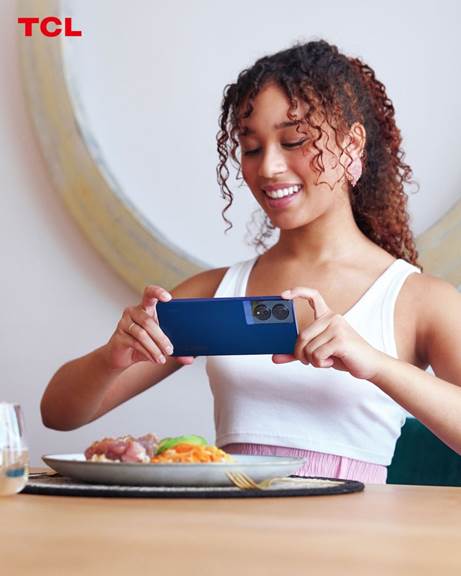
Your Android smartphone makes it easy to capture your memories wherever you are over the December holidays. Whether you are filming your festive celebrations, precious family moments or your time at the beach, a few simple techniques can give your footage a clean and professional feel.

TCL offers some tips for creating more engaging holiday videos and remember your favourite moments long after the holidays are over.
1. Choose the right video mode before you record
Many Android phones today offer multiple video recording modes to cater for different scenario. Standard mode works for most scenes. For dramatic, slowed-down moments, try the slow motion mode. If you want a more classic film look, shoot video at 30 frames per second (fps). And for more fluid action, use 60fps if your phone supports it.
Some Android smartphones are capable of shooting at 1080 pixels, while others are able to create videos in 4K. Shooting at 4K if your smartphone supports it will let you capture high-quality videos. But 1080p or even 720p is usually good enough if you don’t have a newer phone that supports 4K.
2. Stabilise your shot
Even the smallest amount of camera shake can make your footage look amateurish. Hold your phone with both hands, tuck your elbows in and keep your upper body steady to stabilise your phone. If you have shaky hands or want really smooth footage, a handheld gimbal can help reduce shaking and keep your movements fluid.
3. Use good lighting to improve video quality
The lighting will have a major impact on the quality of your video. Poor lighting can introduce grain and blur. The sun is the best light source, so try to shoot near windows or outside during daylight. The ‘golden hour’ before sunset or after sunrise is a great time to get footage. Position your camera away from direct light sources such as lamps, overhead lights and the sun to avoid an overexposed look. If you’re shooting at night, use nearby lamps to brighten the subject instead of relying on the phone’s flash, which can be harsh.
4. Avoid digital zoom while recording
Digital zoom is a camera feature that allows you to zoom in on your subject. It can make your videos look blurry and pixelated. Instead, move closer to your subject or switch to a telephoto lens if your phone has one. You can also crop the footage during editing without sacrificing as much clarity.
5. Pay attention to audio
Clear audio can make an ordinary video feel much more polished. Reduce background noise by stepping away from loud areas when you’re recording. If you’re filming someone speaking, get the phone closer to them. For a cleaner sound, you could use an external wireless microphone compatible with your Android device.
6. Try different angles and movement
Experimenting with perspectives can make your videos more dynamic. A low-angle shot can add emphasis, while a high-angle shot gives context to the surroundings. Slow, deliberate movements like gentle pans or tilts work better than quick swings. If your phone has an Ultra Steady or Stabilisation mode, enable it for smoother motion,
7. Use HDR or AI enhancements when appropriate
If your phone supports HDR video, you can use it to preserve detail in scenes with bright highlights and deep shadows, such as sunsets or indoor-outdoor transitions. Some Android phones also offer AI video enhancements that automatically adjust colour and exposure. These modes can improve results. They may not suit every scene, so test them first.
8. Edit your clips to polish the final video
A simple edit can turn a collection of clips into a story. Your phone’s built-in editor lets you trim footage, adjust exposure, merge clips, add music and apply filters. If you want more control, apps such as CapCut, KineMaster or Adobe Express offer tools for colour grading, transitions and audio cleanup.
About TCL Mobile
TCL Mobile specialises in the research, development and manufacturing of smartphones, tablets and connected devices. On a mission to deliver 5G for all, TCL Mobile helps its customers ‘Inspire Greatness’ in their lives through industry leading technology and solutions.
INFO SUPPLIED